
Show buyers what
the property could become.
Renovae turns the listing photos you already have into labelled renovation visuals, a before-and-after 360° tour, social-ready videos and a clickable floor plan. One property, one link, ready before the first viewing.
Your listing photos become labelled renovation visuals, a before/after 360° tour, videos and a clickable plan.
- 14-day free trial
- No payment details
- Every AI visual labelled (EU AI Act Art. 50)
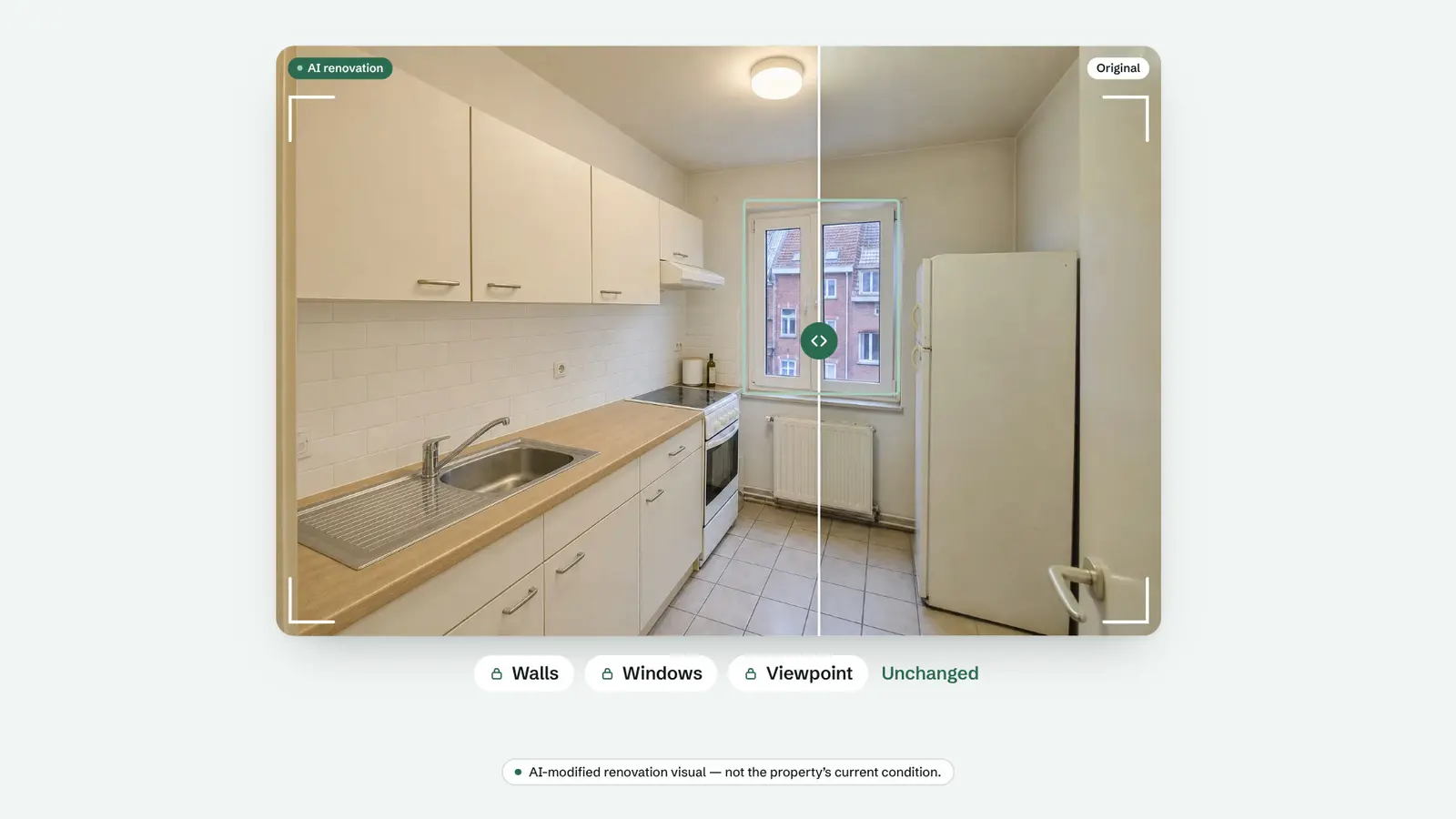
Motion design built on AI-modified property visuals, labelled as such throughout.
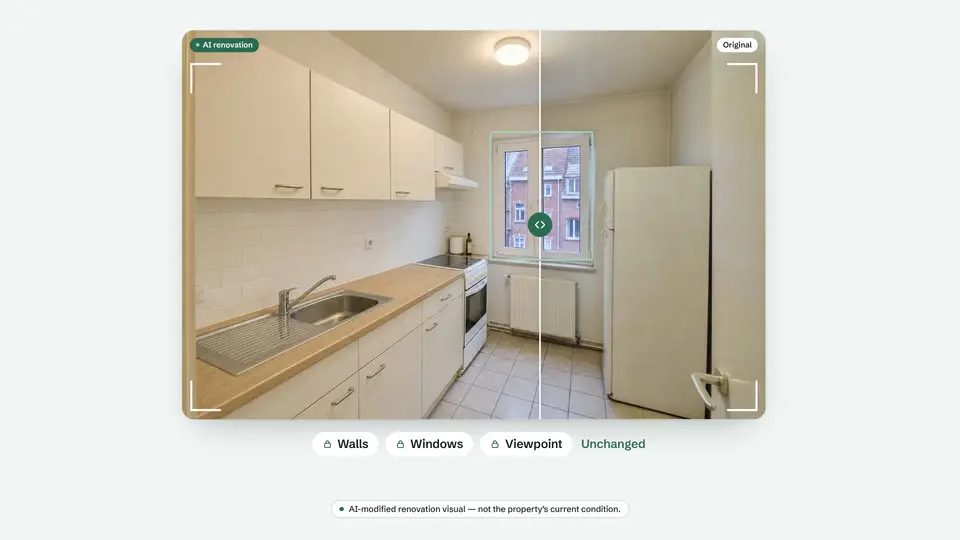
Drag the slider. That's a real listing.
Five everyday listing problems, each fixed on the original photo. Walls, windows and fixtures stay exactly where they are.
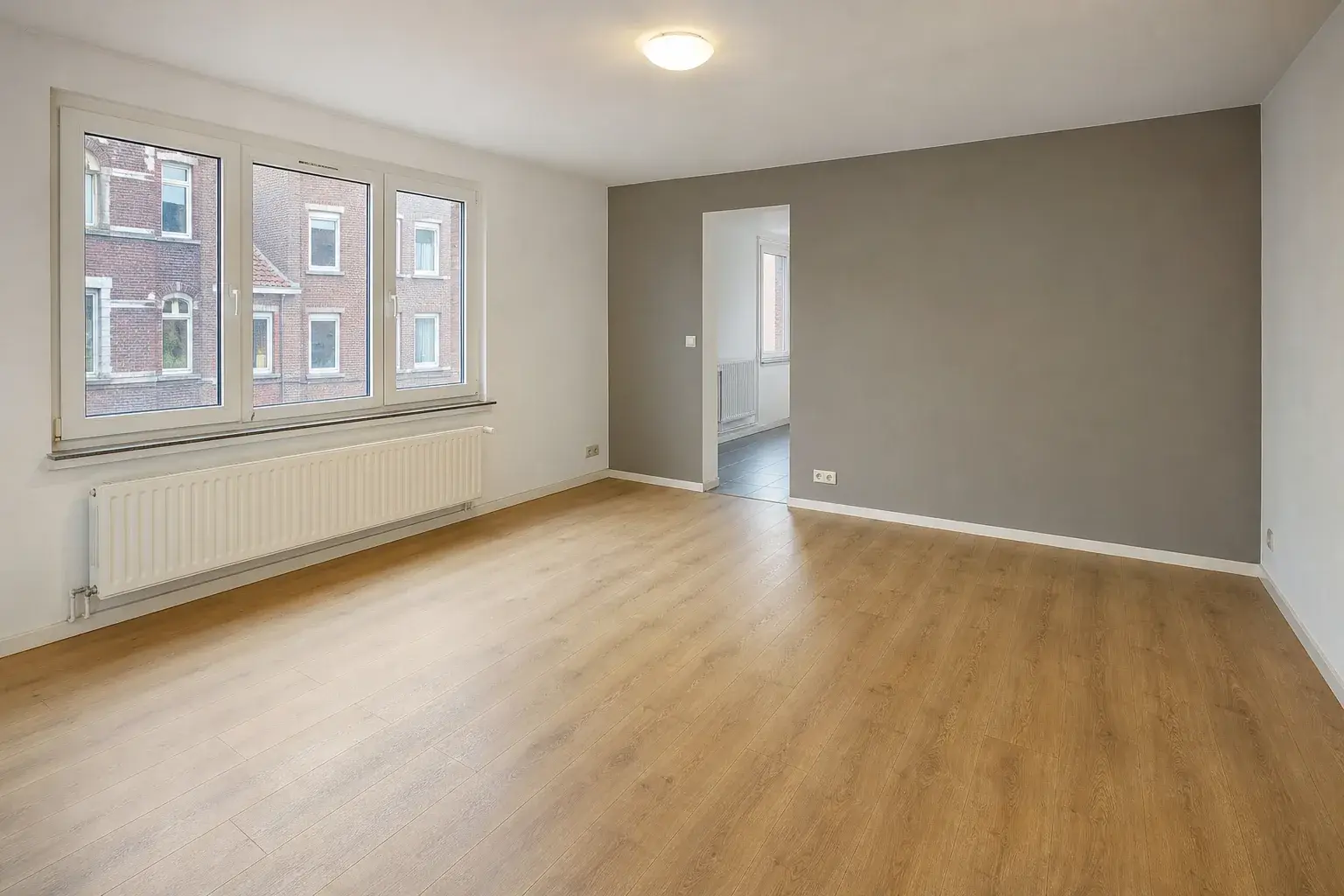
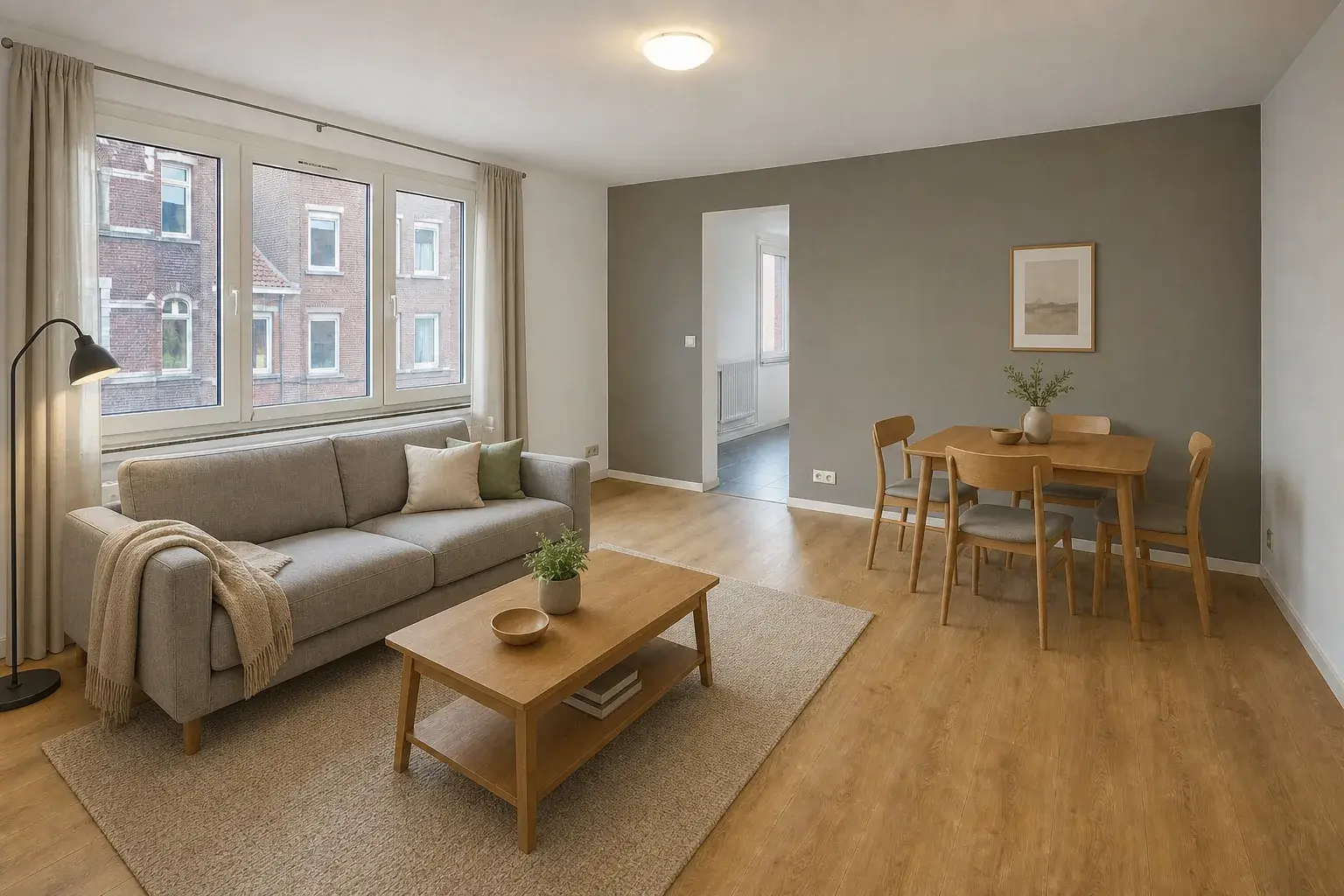
Empty living room, furnished
An empty room photographs small and cold. Restaging gives buyers scale, warmth and a reason to book the visit.
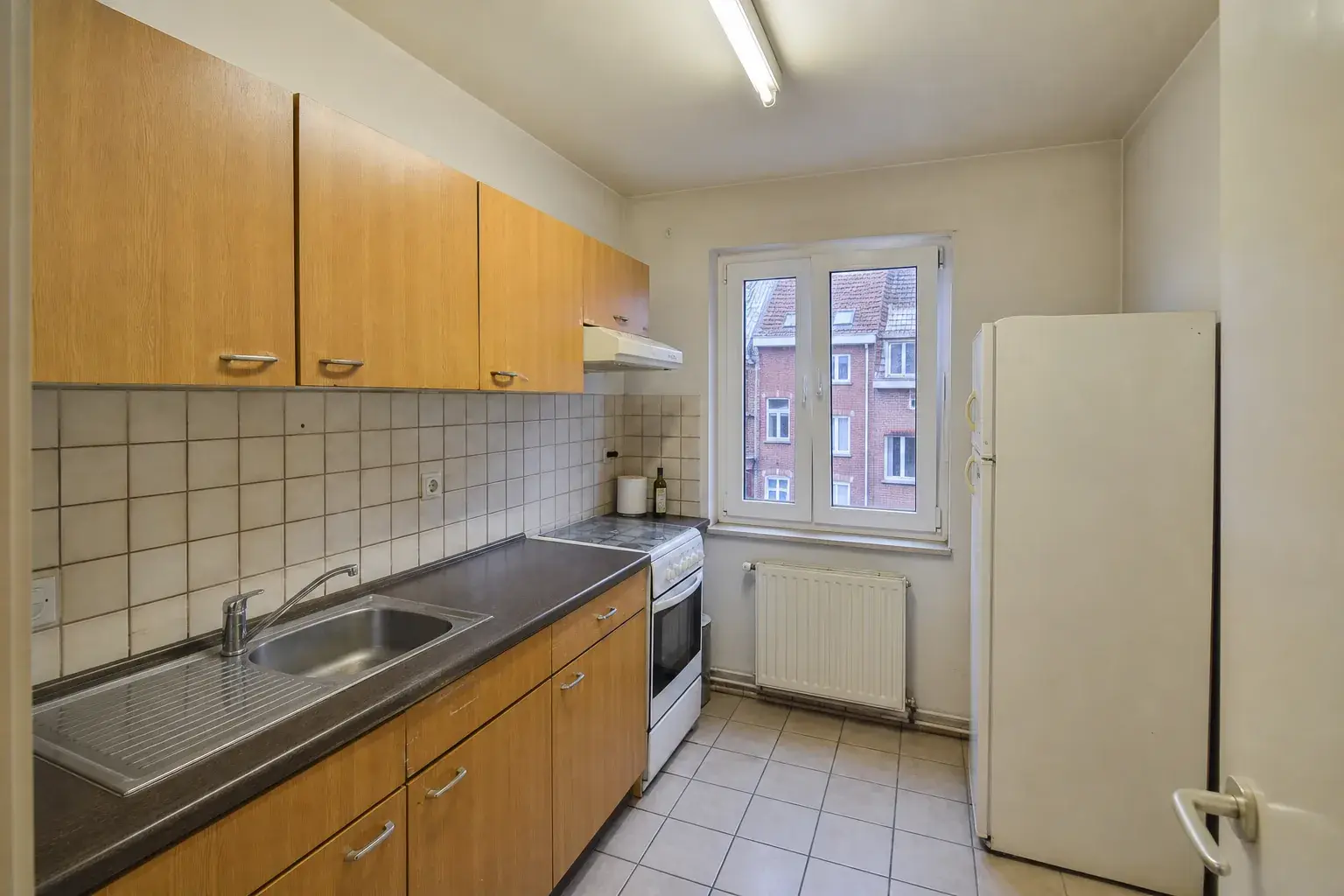
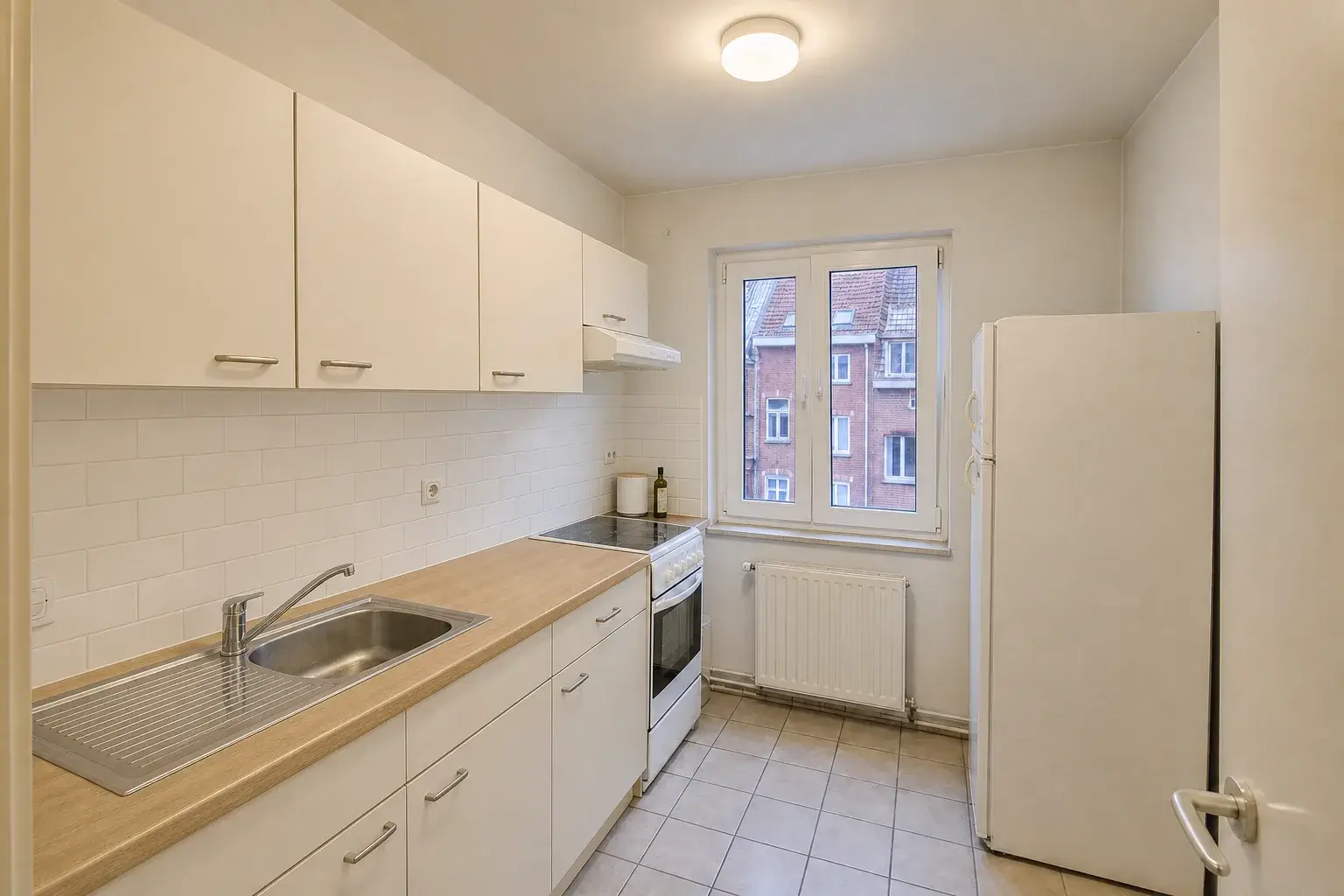
Dated kitchen, refinished
New fronts, worktop and backsplash on the same layout. Buyers see a finished kitchen instead of a renovation budget.
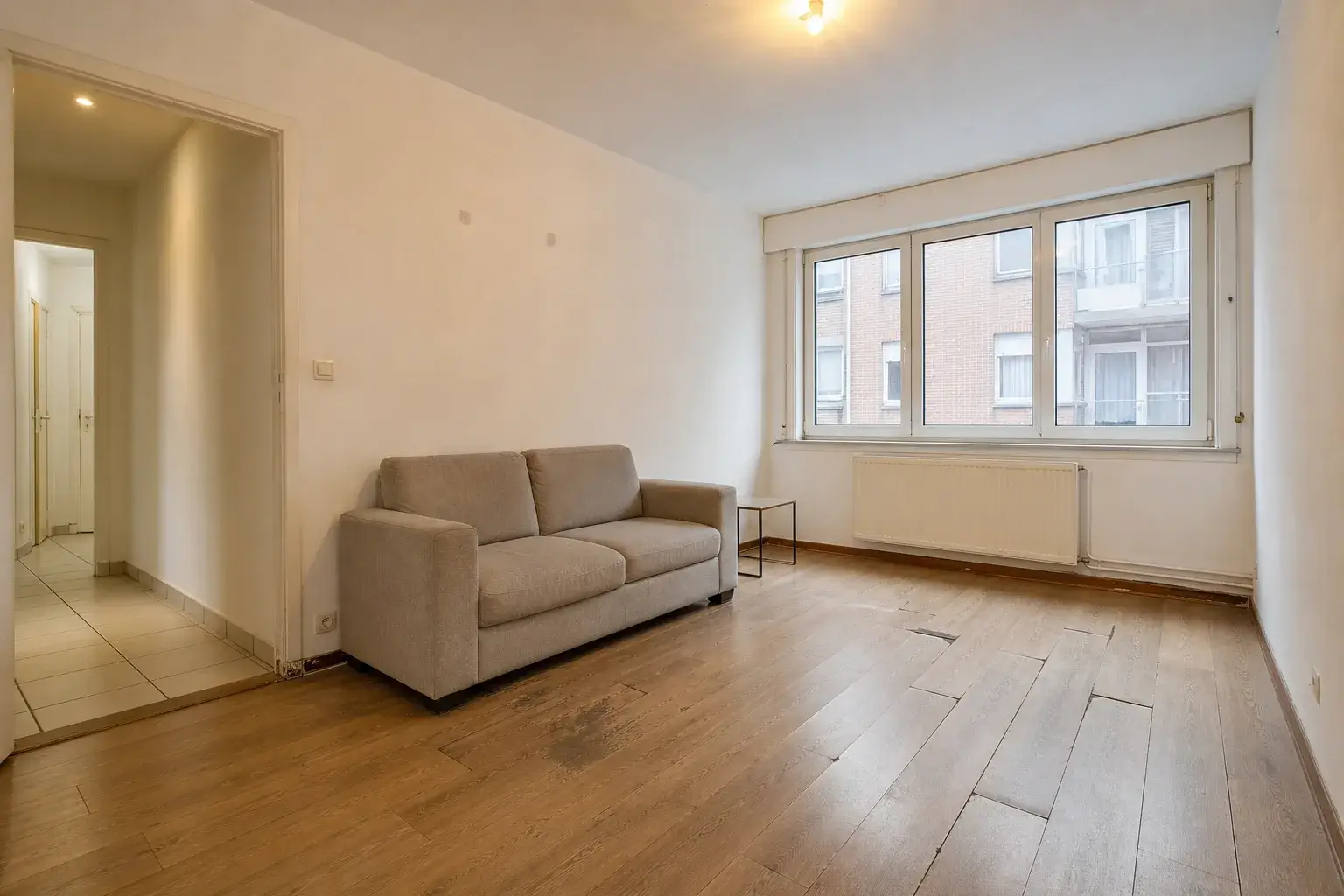
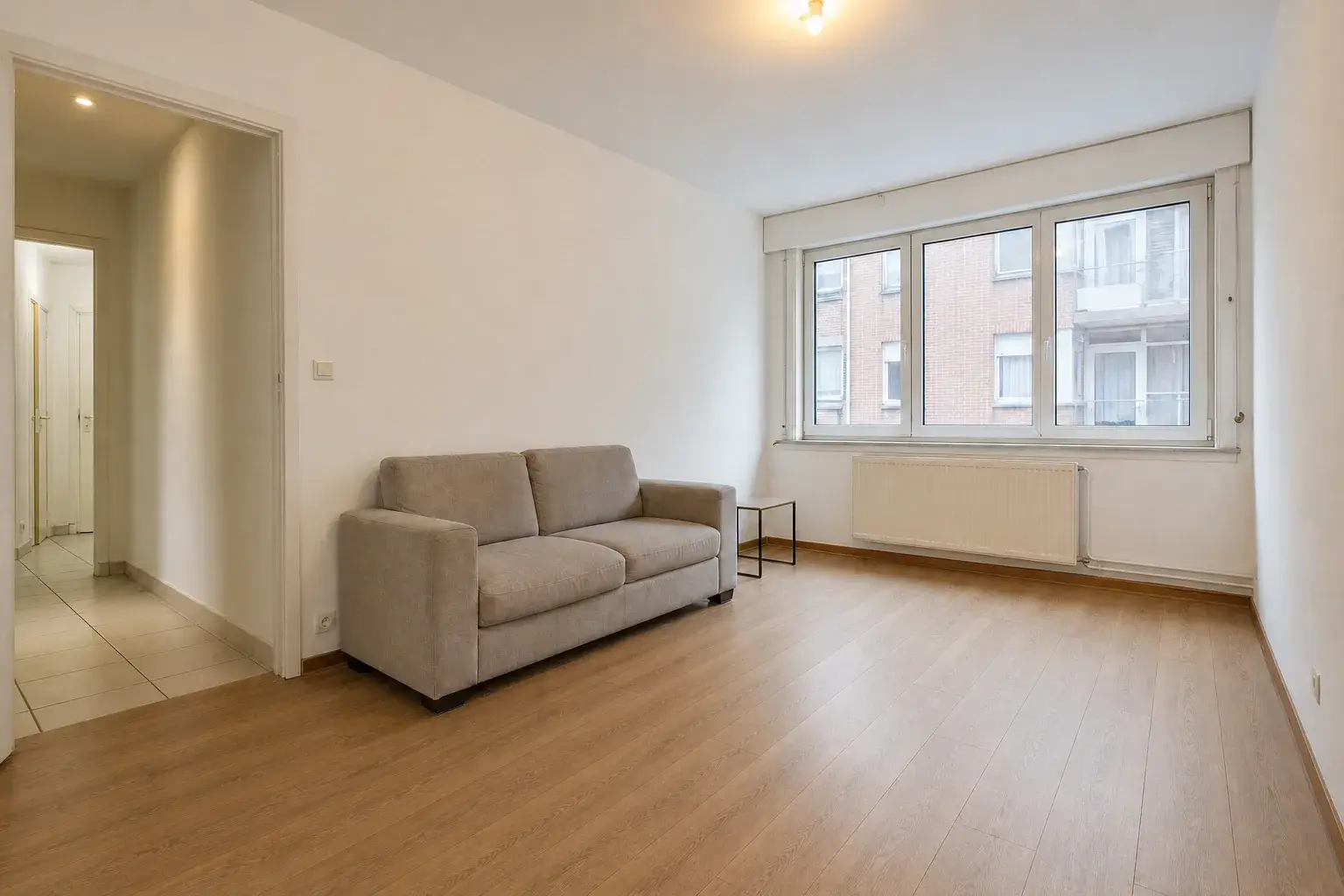
Damaged floor, finished
Lifted, stained boards become a finished surface. Everything else in the room stays exactly where it is.
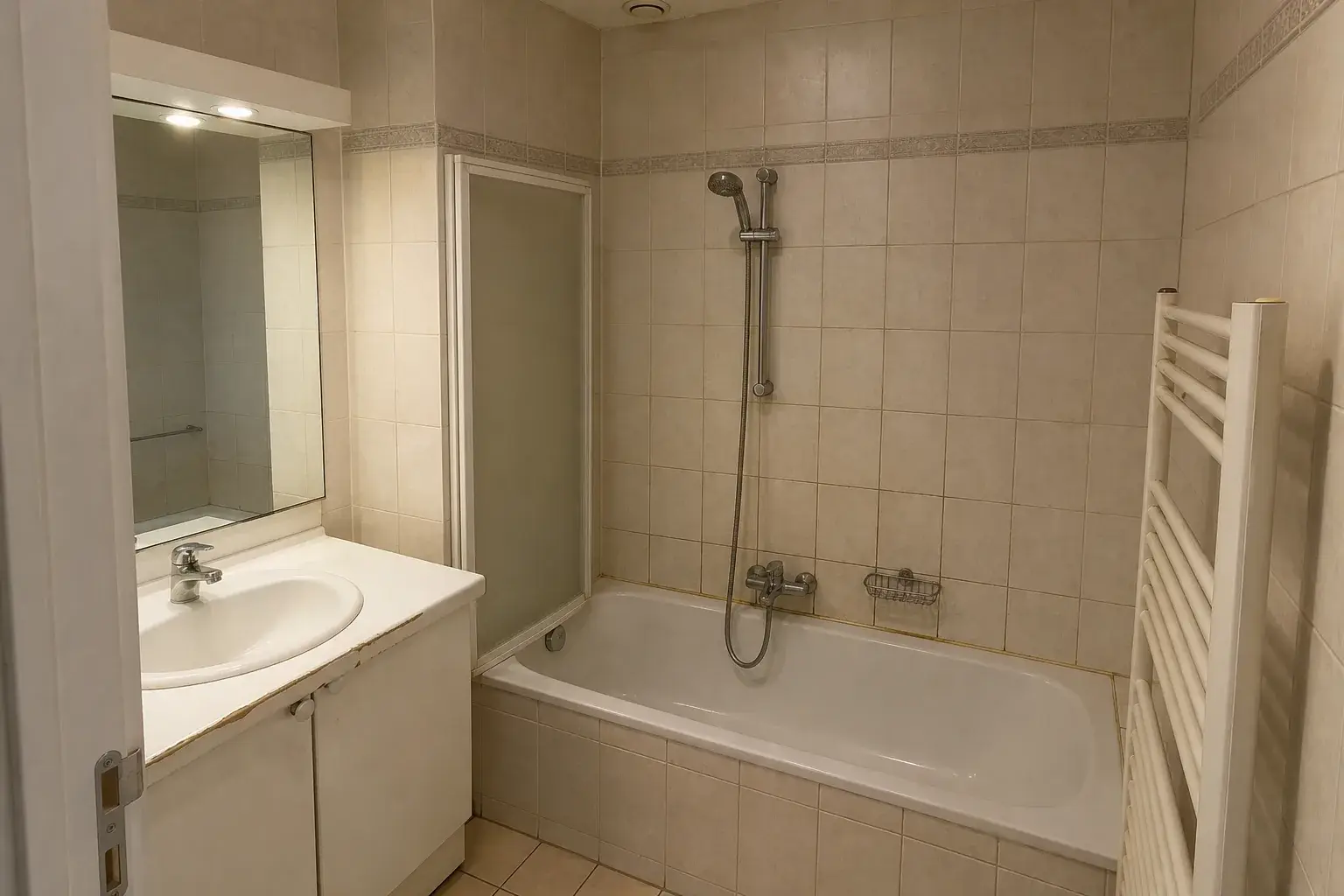
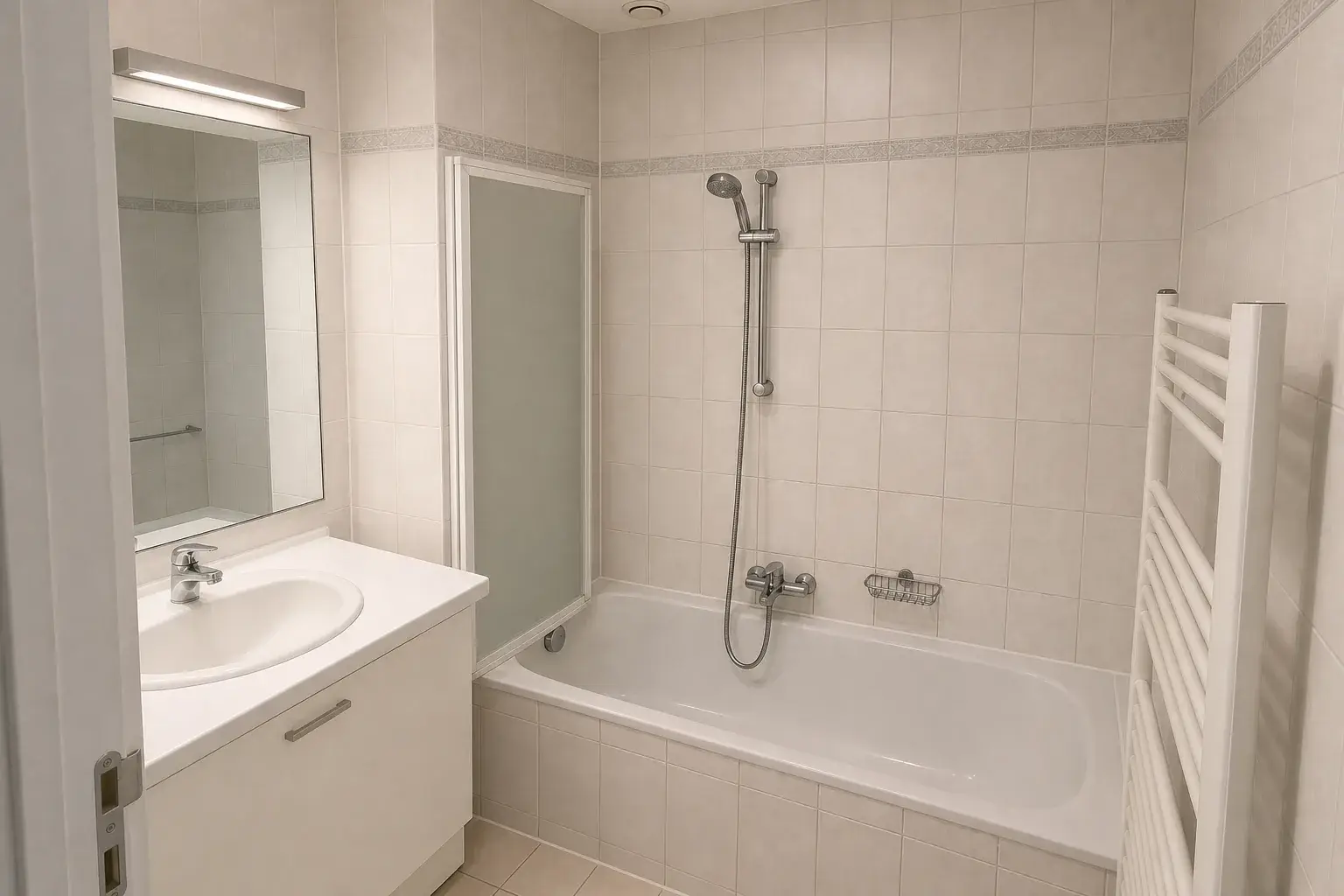
Tired bathroom, cleaned up
Cleaned, repaired and brightened on the existing fixtures, so the result stays credible at the viewing.
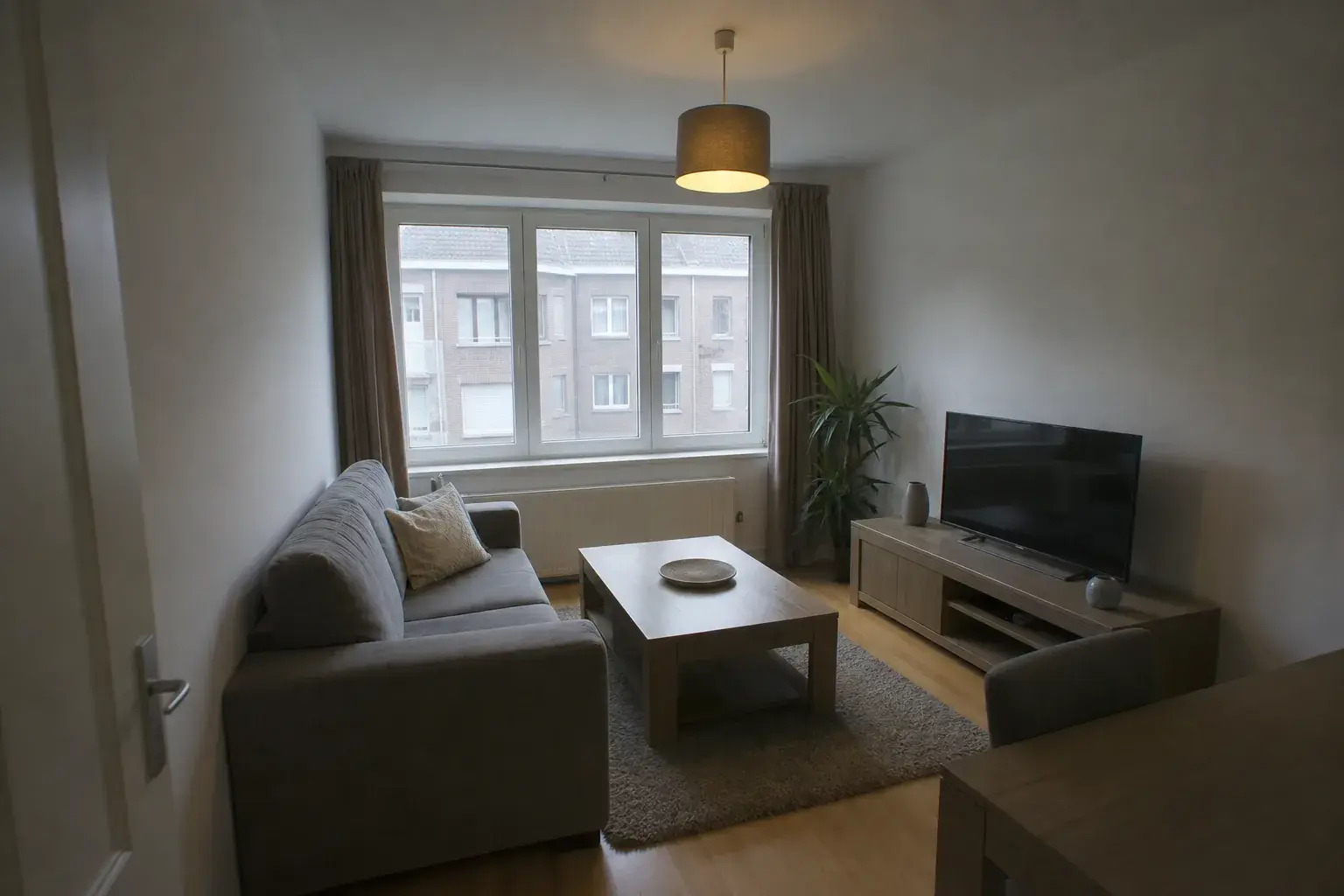
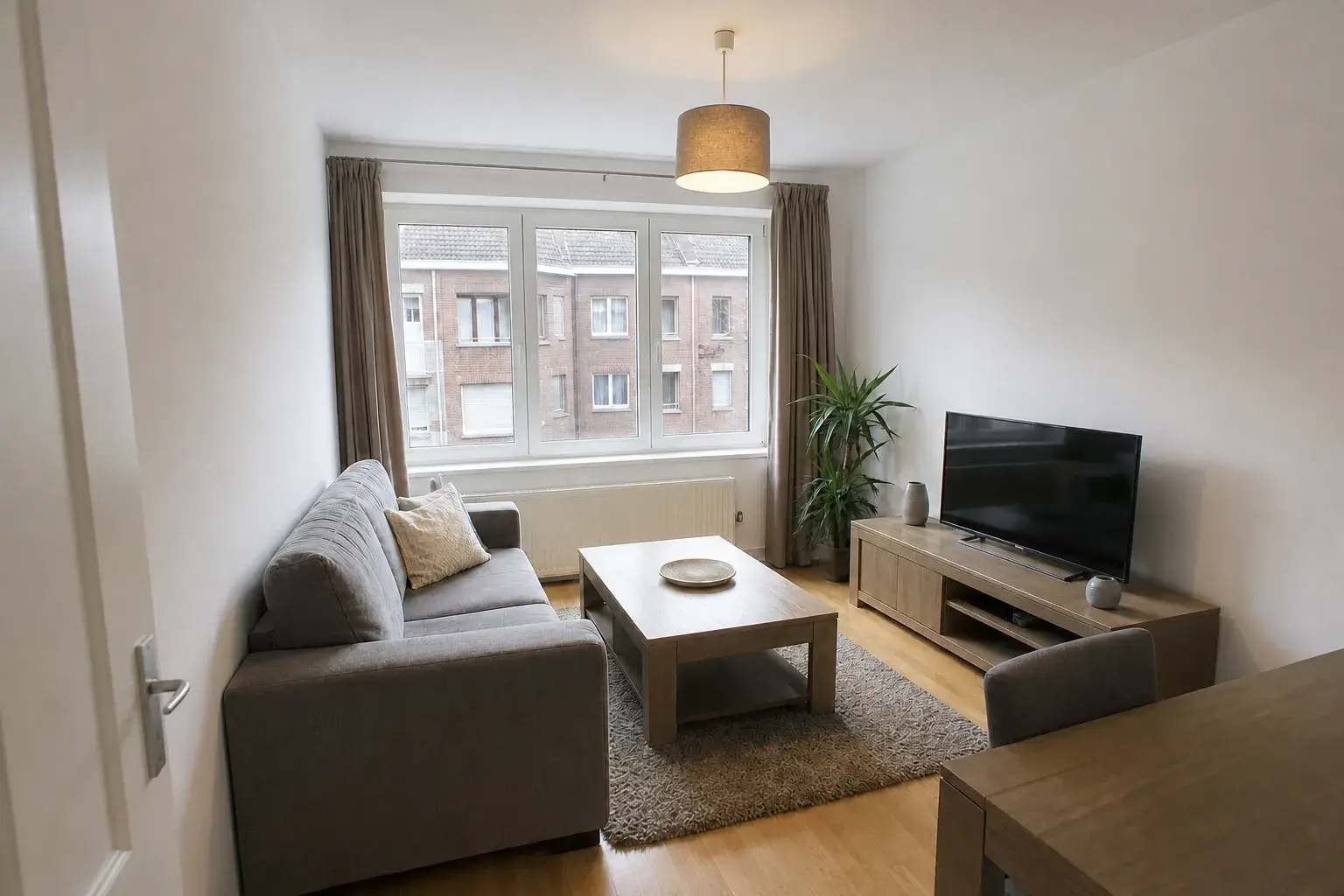
Dark photo, corrected
Relight and declutter a weak capture without a reshoot. Same room, same furniture, a photo that does it justice.
Want this on your own listings? Start free with 20 credits.
Try it free for 14 daysBuyers price what they see. In a dated or empty room, they see work.
Empty rooms shrink online.
Without furniture, buyers can't judge scale, so they scroll past.
Dated finishes get costed at the worst case.
An orange kitchen reads as a full renovation, and the offer drops to match.
Real staging takes time the listing doesn't have.
Furniture hire and contractor quotes take weeks. The first weeks online matter most.
Renovae shows the finished version, clearly labelled, so buyers can picture the potential before they decide to visit.
One property in. A complete listing campaign out.
Upload the photos and 360° panoramas you already shot. Renovae builds every format from one approved renovation direction.
Up to 30 photos, one consistent direction
Declutter, relight, restage, repaint, refinish floors, refresh kitchens and bathrooms. You choose which photos change; originals are never overwritten.
- Same style across every room
- Originals kept alongside
- Labelled on every output
Walk it as it is. Walk it as it could be.
Publish your 2:1 panoramas as they are, or add a labelled renovated version room by room. Visitors switch between current and renovated with one tap.
- Current and renovated in one tour
- Room-to-room navigation
- Fullscreen on any device
Every format, from the same approved images
A vertical cut for Instagram Reels, TikTok and YouTube Shorts, and a landscape version for portals, your website and YouTube.
- Vertical 9:16
- Landscape 16:9
- Made from approved images only
Illustrative layout, not to scale
A plan buyers can click
Draw an illustrative 2D layout, pin each 360° scene to its room, and let visitors jump straight in. Presented as illustrative, never as a measured plan.
- One marker per 360° scene
- Public link or website embed
- Clearly marked illustrative
Three steps from listing photos to a published campaign.
Upload what you have
Listing photos and 360° panoramas from your usual shoot. No new visit, no special camera.
Approve one direction
Pick the renovation style once. Renovae applies it across every photo and room so the set stays coherent.
Publish, labelled
Share one link or embed it on your site. Every AI visual carries its disclosure, so you never have to remember.
Persuasive visuals, clearly labelled.
The EU AI Act sets transparency duties for certain AI-generated or manipulated images. Renovae labels edited visuals and limits renovation proposals to visible cosmetic changes. Check your own publication obligations with your legal adviser.
Read: what Article 50 means for listing photos Read: GDPR and the personal data in listing photos
What Renovae can change
- Furniture and decoration
- Paint and wall finishes
- Flooring
- Lighting and clean-up
- Kitchen and bathroom finishes
What always stays
- Walls, doors and windows
- Room size and layout
- The camera viewpoint
- The view outside
A workspace, not another staging app.
How Renovae compares with the usual options. Individual tools vary; this reflects their typical offer.
| Renovae | Per-photo staging apps | General AI chatbots | Physical staging | |
|---|---|---|---|---|
| One direction across the whole property | Included | Sometimes | Not included | Included |
| Before/after 360° tour | Included | Not included | Not included | Not included |
| Vertical and landscape videos | Included | Not included | Not included | Not included |
| Clickable floor plan | Included | Not included | Not included | Not included |
| Structure locked (cosmetic changes only) | Included | Sometimes | Not included | Included |
| Disclosure label built in | Included | Sometimes | Not included | Not applicable |
| Originals kept untouched | Included | Included | Sometimes | Not applicable |
| No furniture hire or on-site visit | Included | Included | Included | Not included |
Included Sometimes Not included / Not applicable
Compare it on your own property. 14 days free, no payment details.
Try it free for 14 daysTry it on your own listings. Free for 14 days.
Create your account and explore Renovae for 14 days with 20 credits and up to 20 uploaded images. No payment card required. Trial exports carry a Renovae watermark.
Free trial · No payment details · B2B only
Included in your trial
- 14 days of access
- 20 credits and up to 20 uploaded images
- Three users
- Try photo edits, Motion videos and AI clips
- Trial exports carry a watermark
- No automatic paid subscription
Questions agencies ask first
All questionsWhat is virtual renovation, and how is it different from virtual staging?
Virtual staging adds furniture and decoration to a photo of an empty or sparse room. Virtual renovation goes further and changes visible finishes such as paint, flooring, kitchen fronts, worktops and bathroom surfaces. Renovae does both, always on the existing layout and always labelled as an AI-modified visual.
Do AI-edited listing photos have to be labelled in the EU?
Article 50 of the EU AI Act requires disclosure for certain AI-generated or manipulated images, including deepfakes that could appear authentic. Whether a particular listing image falls within that rule depends on its use. Renovae labels its edited visuals as AI-modified and not the property's current condition. Check your publication obligations with your legal adviser.
Does Renovae change walls, windows or room size?
No. Edits are limited to cosmetic changes: furniture, decoration, paint, flooring, lighting and visible finishes. Walls, doors, windows, room size and the camera viewpoint are not meant to move, so the property stays recognisable at the viewing.
Can buyers switch between the current and renovated property in the 360° tour?
Yes. Upload 2:1 equirectangular panoramas and publish them as they are, or add a labelled renovated version room by room. Visitors move between rooms and switch between what is there and what it could become.
Which formats do I get for portals and social media?
A coordinated photo set of up to 30 images, a vertical 9:16 video for Instagram Reels, TikTok and YouTube Shorts, a landscape 16:9 video for portals, your website and YouTube, a 360° tour and an interactive floor plan, all shareable by public link or website embed.
Are the floor plans measured or to scale?
No. The 2D plan is an illustrative room layout used to navigate the 360° scenes. It is presented as illustrative and is not a measured or certified plan.
Start with your hardest listing.
The empty flat, the dated kitchen, the one that's been online too long. Run it through Renovae, free for 14 days.
Free trial · No payment details · B2B only