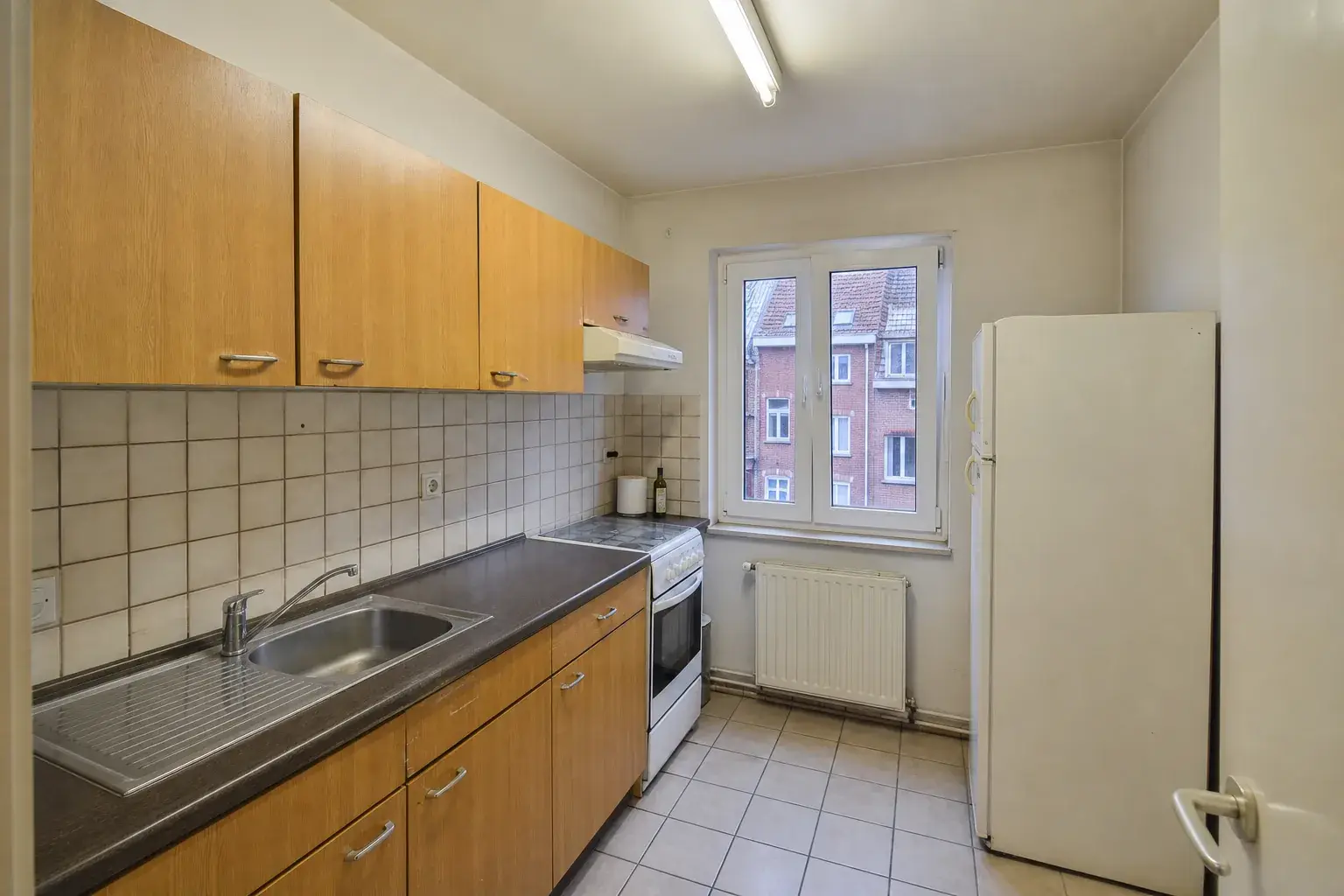
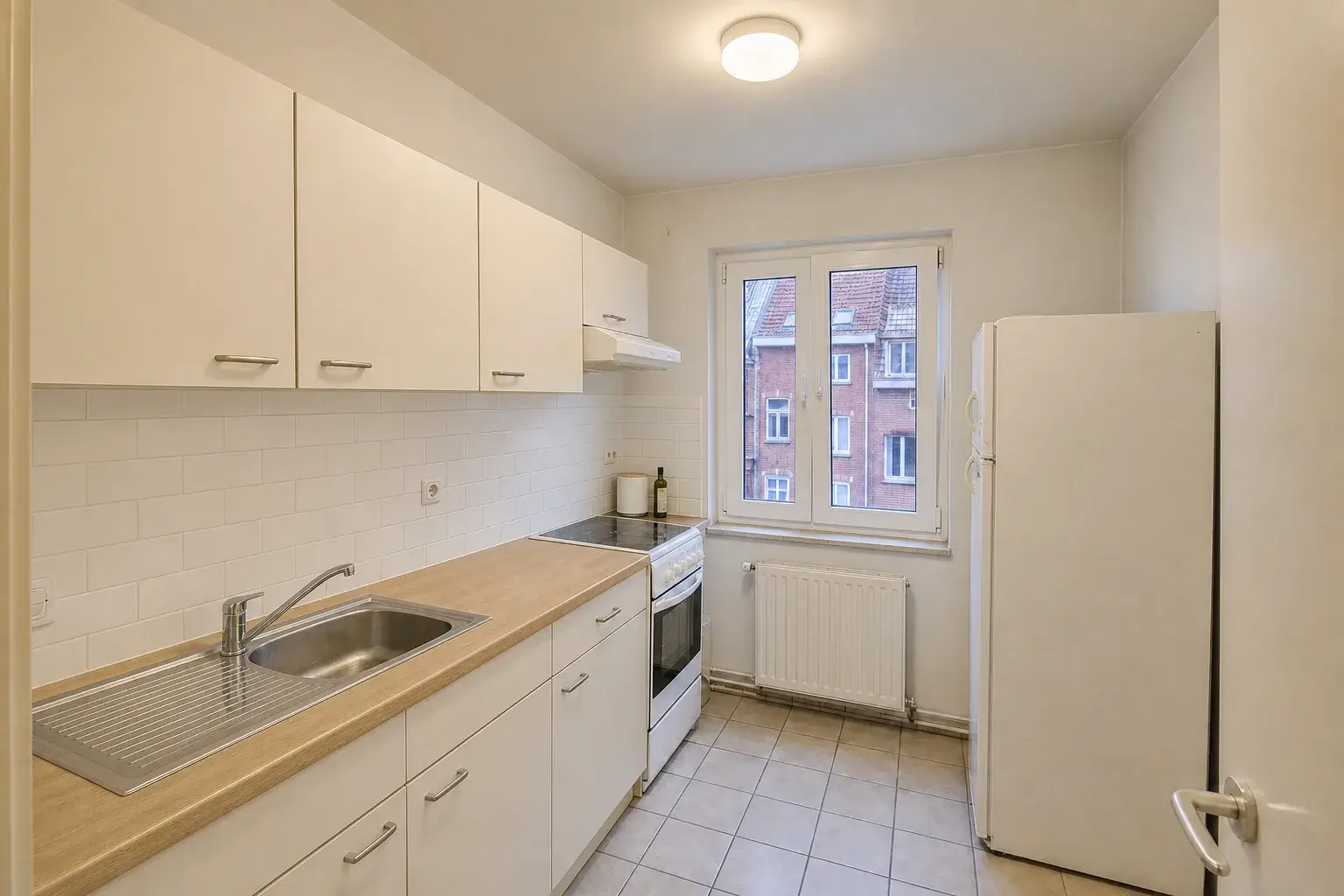
Straight answers before you publish.
What agencies ask before putting an AI renovation visual in a live listing.
What is virtual renovation, and how is it different from virtual staging?
Virtual staging adds furniture and decoration to a photo of an empty or sparse room. Virtual renovation goes further and changes visible finishes such as paint, flooring, kitchen fronts, worktops and bathroom surfaces. Renovae does both, always on the existing layout and always labelled as an AI-modified visual.
Do AI-edited listing photos have to be labelled in the EU?
Article 50 of the EU AI Act requires disclosure for certain AI-generated or manipulated images, including deepfakes that could appear authentic. Whether a particular listing image falls within that rule depends on its use. Renovae labels its edited visuals as AI-modified and not the property's current condition. Check your publication obligations with your legal adviser.
Does Renovae change walls, windows or room size?
No. Edits are limited to cosmetic changes: furniture, decoration, paint, flooring, lighting and visible finishes. Walls, doors, windows, room size and the camera viewpoint are not meant to move, so the property stays recognisable at the viewing.
Can buyers switch between the current and renovated property in the 360° tour?
Yes. Upload standard 360° photos (the 2:1 format most 360° cameras export) and publish them as they are, or add a labelled renovated version room by room. Visitors move between rooms and switch between what is there and what it could become.
Which formats do I get for portals and social media?
A coordinated photo set of up to 30 images, a vertical 9:16 video for Instagram Reels, TikTok and YouTube Shorts, a landscape 16:9 video for portals, your website and YouTube, a 360° tour and an interactive floor plan, all shareable by public link or website embed.
Are the floor plans measured or to scale?
No. The 2D plan is an illustrative room layout used to navigate the 360° scenes. It is presented as illustrative and is not a measured or certified plan.
What happens to my original photos?
Originals are always kept and never overwritten. You choose which photos to edit, and every edited version sits alongside its original.
What can I try for free?
Your agency gets 14 days, 20 credits, 20 uploaded images and 3 users. Try photo edits, Motion videos and AI clips. No card is required. Trial exports carry a Renovae watermark.
How do credits work?
One balance for your creations: 1 credit per photo edit, 3 per Motion video and 5 per AI clip. Plan credits are allocated monthly, including on annual plans, and do not roll over.
Which plan fits my agency?
All three plans include the same features and 3 users. Starter includes 100 credits per month, Pro 250 and Business 550. Choose the creation volume you need without giving up a tool.
What happens when the trial ends?
Nothing is charged automatically. You choose a plan yourself to keep creating. The annual promotion includes 12 months of access, including 2 free, billed in one amount.
Start with your hardest listing.
The empty flat, the dated kitchen, the one that's been online too long. Run it through Renovae, free for 14 days.
Free trial · No payment details · B2B only